

Updated . A 6-minute read by the BundlePilot team at Boldnsmart.
BundlePilot prices bundles this way. See it on the Shopify App Store.
How anchor pricing works
A flat bundle price fits only a bundle that never changes: when the shopper chooses between a 4-inch and a 10-inch tree, one price either undercharges the big tree or overcharges the small one. A percentage off the whole basket discounts every upgrade too.
Anchor pricing avoids both. One slot is the anchor, usually the main product whose size drives the price, and the bundle costs whatever the chosen anchor variant costs. Every other slot offers an included option at $0 and, if you want, premium options with a surcharge.
| Tree (anchor) | Pot | Card | Bundle price |
|---|---|---|---|
| 4-inch, $28 | Nursery pot, included | Classic card, included | $28 |
| 6-inch, $42 | Glazed pot, +$6 | Classic card, included | $48 |
| 10-inch, $68 | Giant pail, +$12 | Premium card, +$3 | $83 |
Choosing your surcharges
- Start from your cost difference. If the glazed pot costs you $3 more than the nursery pot, a $6 surcharge covers it with margin to spare.
- Keep one good option included in every slot, so the base price is already a complete gift and upgrades feel optional.
- Use round numbers. +$5 and +$10 read faster than +$4.37 on a product page.
- Price the anchor sizes to carry the standard extras, and check the margin before you discount anything: the extra items have to pay for it.
Why surcharges rather than a deeper discount: in McKinsey’s worked example of an average large company, “volumes would have to rise by 18.7 percent just to offset the profit impact of a 5 percent price cut” (McKinsey, The power of pricing). And shoppers read a bundle by its total: in a McKinsey retail case, “customers paid attention only to the price of the bundle” (McKinsey).
Ready to price your bundles this way?
Watch surcharges add up: install BundlePilot from the Shopify App StoreSet it up in BundlePilot
- Install BundlePilot
Install it from the Shopify App Store. The setup guide on Boldnsmart walks through the install and the theme editor.
- Check your main product’s prices
The bundle price starts from the variant the shopper picks in the main product, so check each size is priced the way you want a standard bundle to cost.
- Create the bundle and add the extras
Create the bundle in BundlePilot, choose the main product, and add complimentary products: one product’s variants, or a choice between products.
- Set included options and surcharges
Leave each slot’s standard option at $0 and type a dollar surcharge for every premium option. BundlePilot prices bundles through Shopify’s Cart Transform, not with a discount code, and it has no permission to create discounts in your store.
- Check what shoppers see
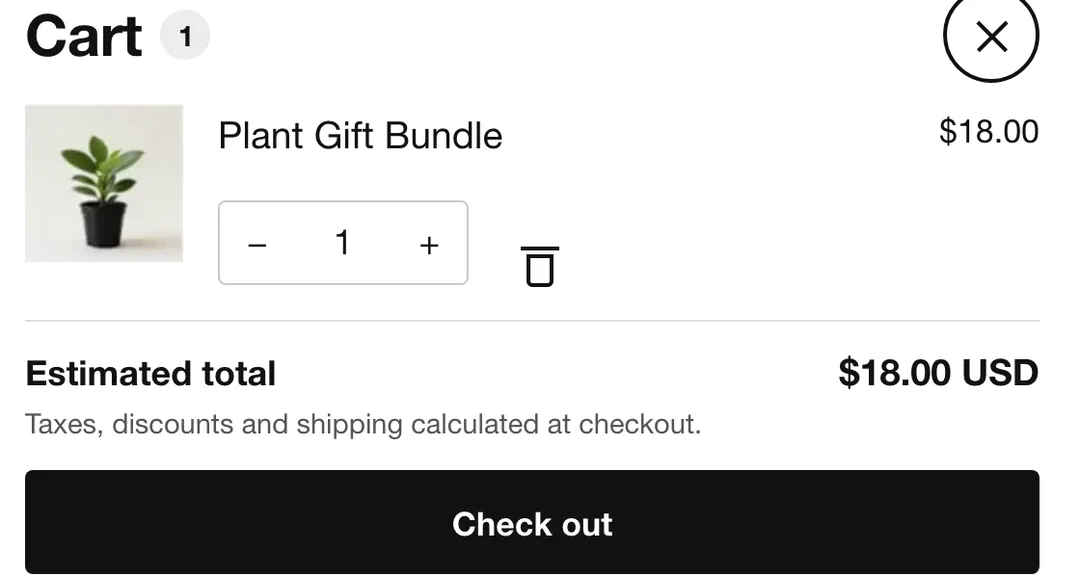
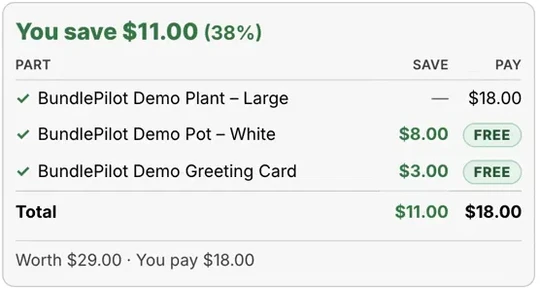
On the product page each premium option shows its surcharge, such as +$6, and the total follows every pick. The cart shows an itemized breakdown, and on the thank-you and order status pages a savings card lists what each part saves and what the shopper pays. On the checkout page itself the savings card needs Shopify Plus.
How to tell if your pricing works
BundlePilot’s Analytics page shows bundle sales, attach rate and average order value, and compares each product’s sales on its own with its sales inside bundles. Change one surcharge at a time and compare a few weeks before and after.
For a sense of scale, Shopify reports that one DTC dog-food brand’s bundles lifted average order value 15% and units per transaction 20% (Shopify blog, 7 January 2025; a company-reported case, not a BundlePilot result).